Website for care-management software · ValueCare Suite
Helping different audiences find their way through a complex software offer.
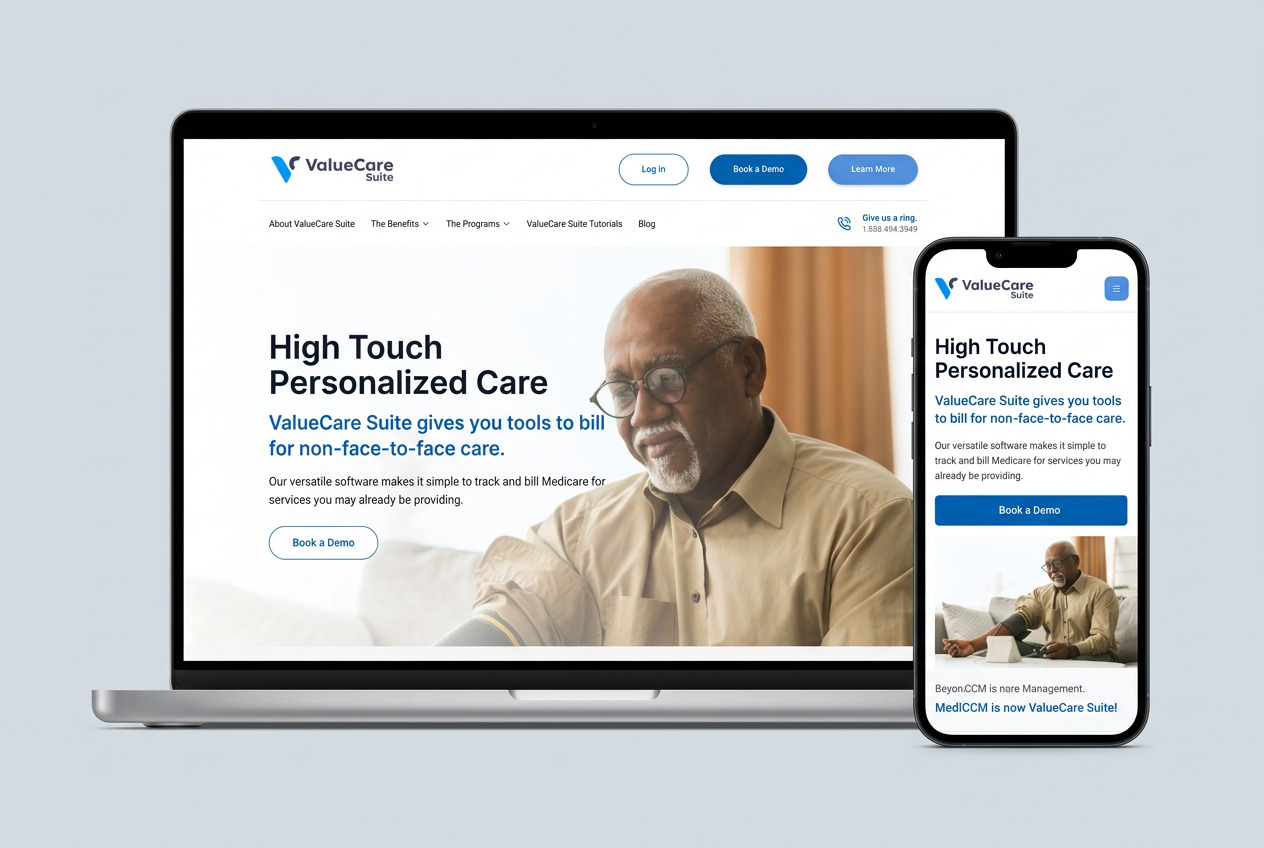
ValueCare Suite’s public website explains software for managing and documenting care beyond an office visit. The experience combines audience-specific information, program education, and a demo-request path so organizations can explore the offer before a conversation.
- Project
- ValueCare Suite
- Experience
- Public software website
- Audience
- Practices, pharmacists, care managers, and patients
- Focus
- Program education and demo requests
The challenge
One offer, several audiences, and a lot to explain.
A practice evaluating care-management software has different questions from a pharmacist, a care manager, or a patient. Program terminology adds another layer. Putting every answer on one page would make the offer harder to understand.
The website provides separate audience explanations and program pages, then offers a demo request for organizations ready to discuss their needs. The focus here is the public website, not the underlying clinical software.
The approach
Start with the visitor's next decision.
The website retains the project’s established editorial content while organizing it into audience and program pages. Demo requests have a structured form, keeping evaluation separate from the sign-in path for existing users.
The solution · Small things, big impact
Three choices that support a more focused evaluation.
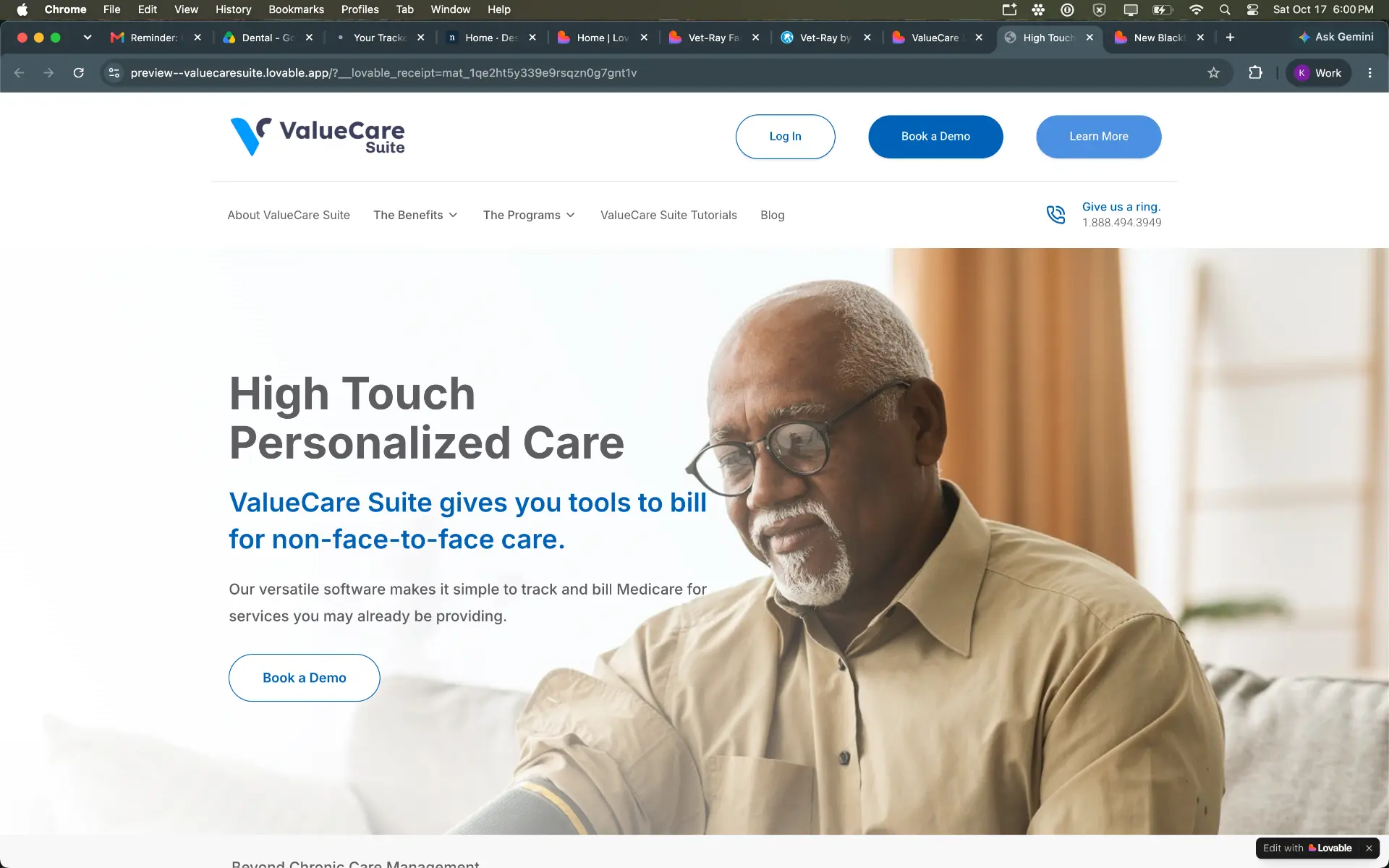
- Distinct actions. Sign-in, demo requests, and learning are not combined into one button.
- Human context. The opening image connects the software explanation with the people receiving care.
Give exploration and existing users different doors.
The small thing
The first screen introduces personalized care and the software offer, with Book a Demo as a clear invitation. Log In and Learn More are separate header actions, while program and benefit links sit in the navigation below.
What it can do for a business
Someone evaluating a service should not have to guess whether a login button is their next step. Separate actions help each visitor choose a path that matches their purpose.
- Audience pages. Different roles have their own explanations.
- Program detail. Individual pages make a broad offer easier to explore.
- Defined follow-up. The demo form records requests; this does not establish delivery or sales outcomes.
Let people learn in the context of their work.
The small thing
The website includes pages for physicians, pharmacists, care managers, and patients, alongside individual program pages. A validated demo form records requests for follow-up. The signed-in tutorials area is explicitly marked Coming soon.
What it can do for a business
A visitor can begin with information relevant to their role instead of reading every page. A structured request gives the business a defined follow-up path, while honest labels prevent an unfinished education area from being mistaken for a complete resource.
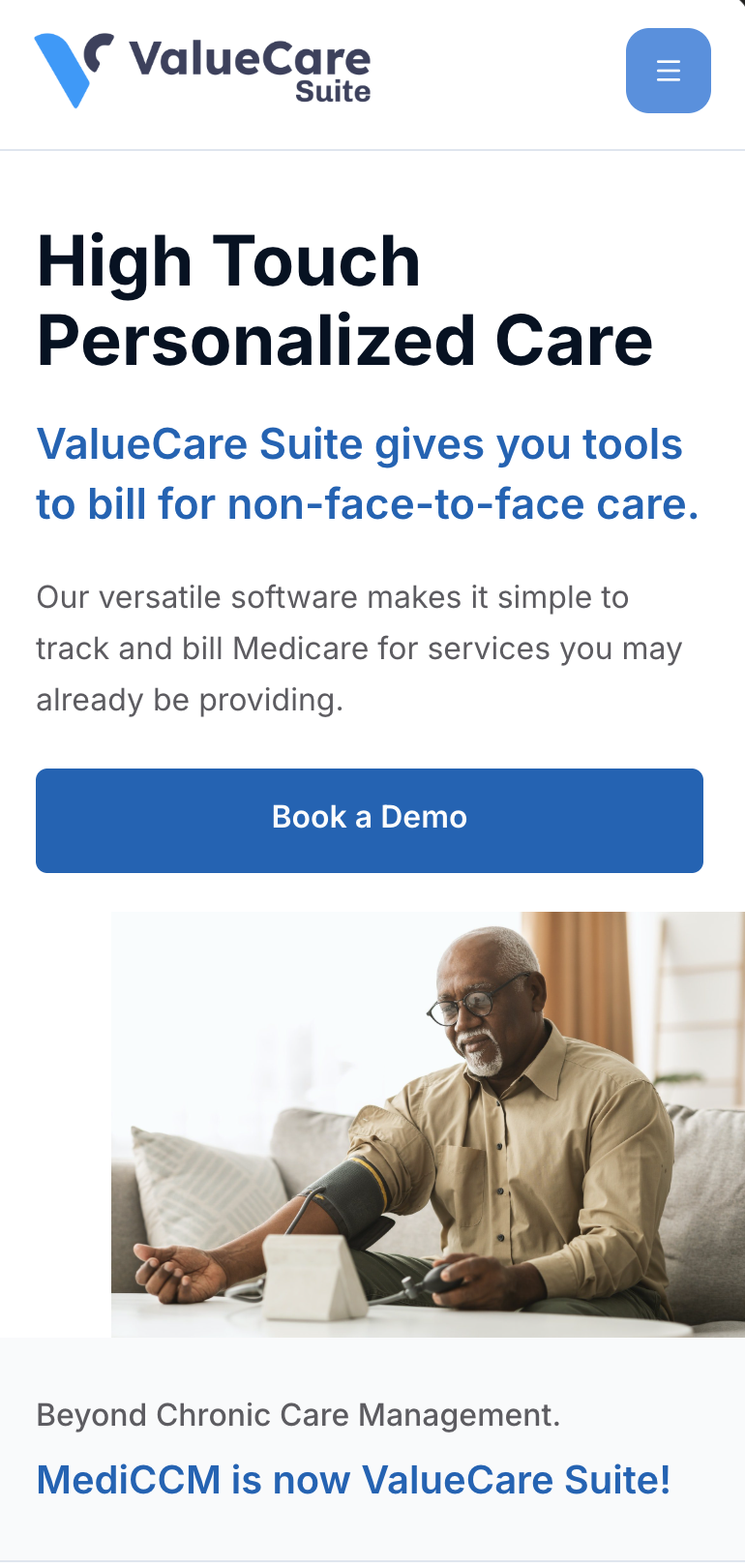
- Same offer. The smaller view still introduces the public software offer.
- Next conversation. Demo discovery remains part of the visitor journey.
Carry the evaluation path onto a smaller screen.
The small thing
The supplied phone view adapts the public homepage for a narrower screen, retaining the software introduction and the path to a demo.
What it can do for a business
A decision-maker may first open a recommendation on a phone. Keeping the offer and next step understandable lets that first visit become a useful start rather than a reason to defer.
The outcome
A clearer experience, with results still to measure.
This study documents the public website’s content, navigation, and demo-request implementation from the source project, illustrated with Krissie’s supplied screenshots. It does not demonstrate clinical workflows, integrations, compliance, or measured business or patient outcomes. The signed-in tutorial library is a coming-soon placeholder; live request delivery and follow-up were not tested for this review.
Try this on your own site
Ideas for businesses explaining a complex service.
Organize around the reader.
Audience-specific explanations can make a broad service feel relevant.
Separate learning from signing in.
New visitors and existing customers need different entry points.
Label unfinished resources honestly.
A coming-soon page should not imply a complete service.
This study documents the public website’s content, navigation, and demo-request implementation from the source project, illustrated with Krissie’s supplied screenshots. It does not demonstrate clinical workflows, integrations, compliance, or measured business or patient outcomes. The signed-in tutorial library is a coming-soon placeholder; live request delivery and follow-up were not tested for this review.
What could feel easier for your customers?
Let’s help the right people find the right explanation.
If your offer serves several audiences or needs a little unpacking, we can make the website easier to explore and the next conversation easier to start.
Let's talk about your project