Website for remote monitoring devices · BlackBox RPM
Making a technical product easier to understand and explore.
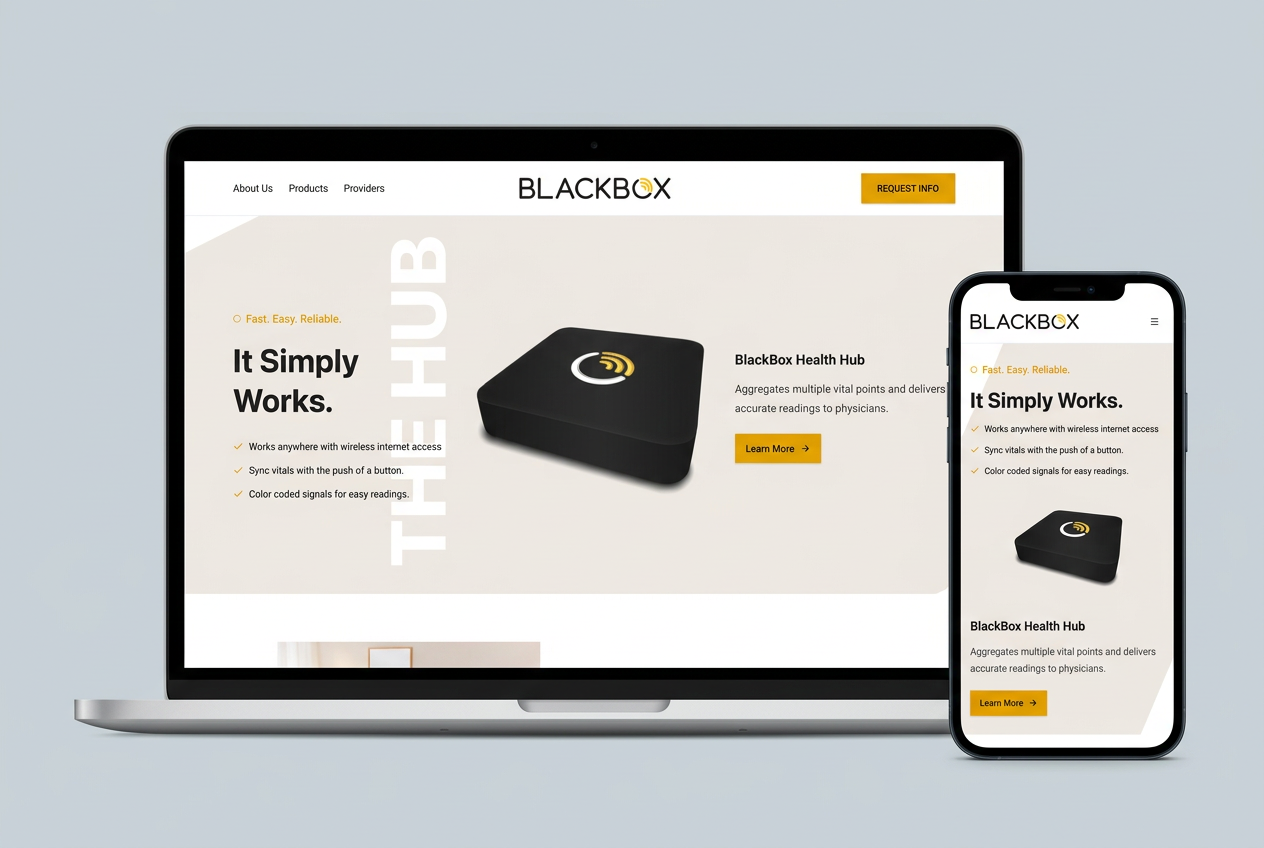
BlackBox RPM presents home-monitoring devices to patients and healthcare providers. This website brings the hub, connected devices, and provider information into a product-led experience, with a clear path from learning about a device to asking for more information.
- Project
- BlackBox RPM
- Experience
- Public product website
- Audience
- Patients and healthcare providers
- Focus
- Device discovery and information requests
The challenge
One product ecosystem, more than one kind of visitor.
A person exploring home monitoring needs to understand what the devices are and how they fit together. A healthcare provider needs a different explanation, including the relationship to care-management software. A catalog alone cannot answer both sets of questions.
The website addresses that communication problem through a visible product introduction, grouped device listings, and a separate provider page. This is a website case study, not a demonstration of a clinical monitoring system.
The approach
Start with the visitor's next decision.
The experience starts with the physical product, then separates device browsing from provider information. Product categories and individual detail pages give visitors progressively more information without putting every specification on the first screen.
The solution · Small things, big impact
Three choices that make product discovery clearer.
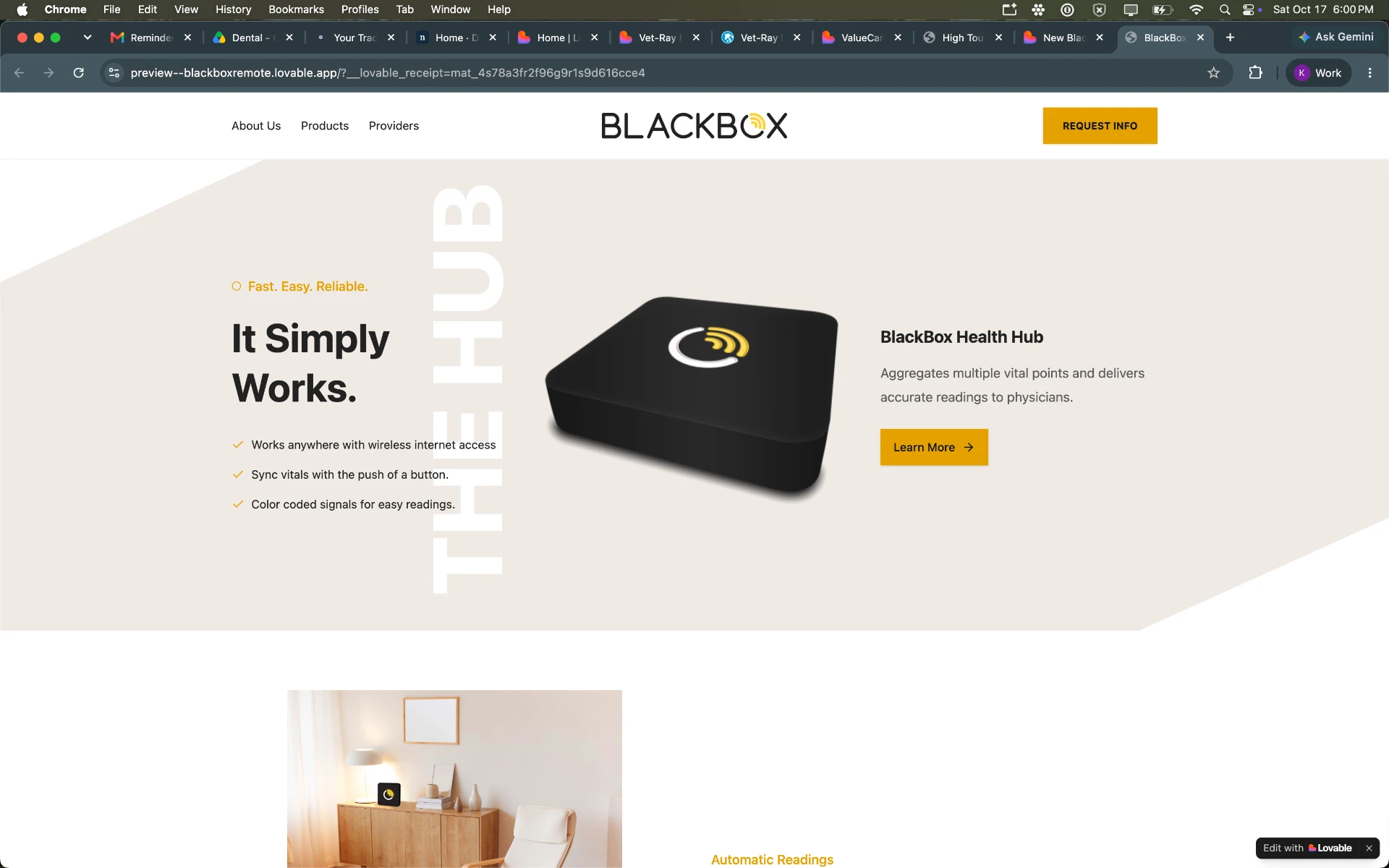
- Product in view. The hub is the main visual, not an abstract technology graphic.
- Short introduction. A few bullets establish a starting point before the detail pages.
Put the product where people can see it.
The small thing
The opening screen pairs a prominent image of the BlackBox Health Hub with a short introduction, scannable benefit bullets, and a Learn More button.
What it can do for a business
A tangible product gives unfamiliar technology a starting point. Buyers can see what they are exploring before deciding whether to read the details.
- Device categories. Bluetooth and cellular solutions provide two browsing paths.
- Provider context. A dedicated page explains the provider-facing offer.
- Email handoff. The form opens a prepared email; it does not submit a request automatically.
Let visitors explore, then ask a specific question.
The small thing
Bluetooth and cellular devices are grouped in the catalog, with individual product pages and selectable image galleries. Provider information has its own page and links to ValueCare Suite. The information-request form prepares an email draft with the visitor’s details.
What it can do for a business
Grouping related products makes a technical range easier to scan. Separate audience information and a clear contact path can help visitors reach a conversation with more useful questions.
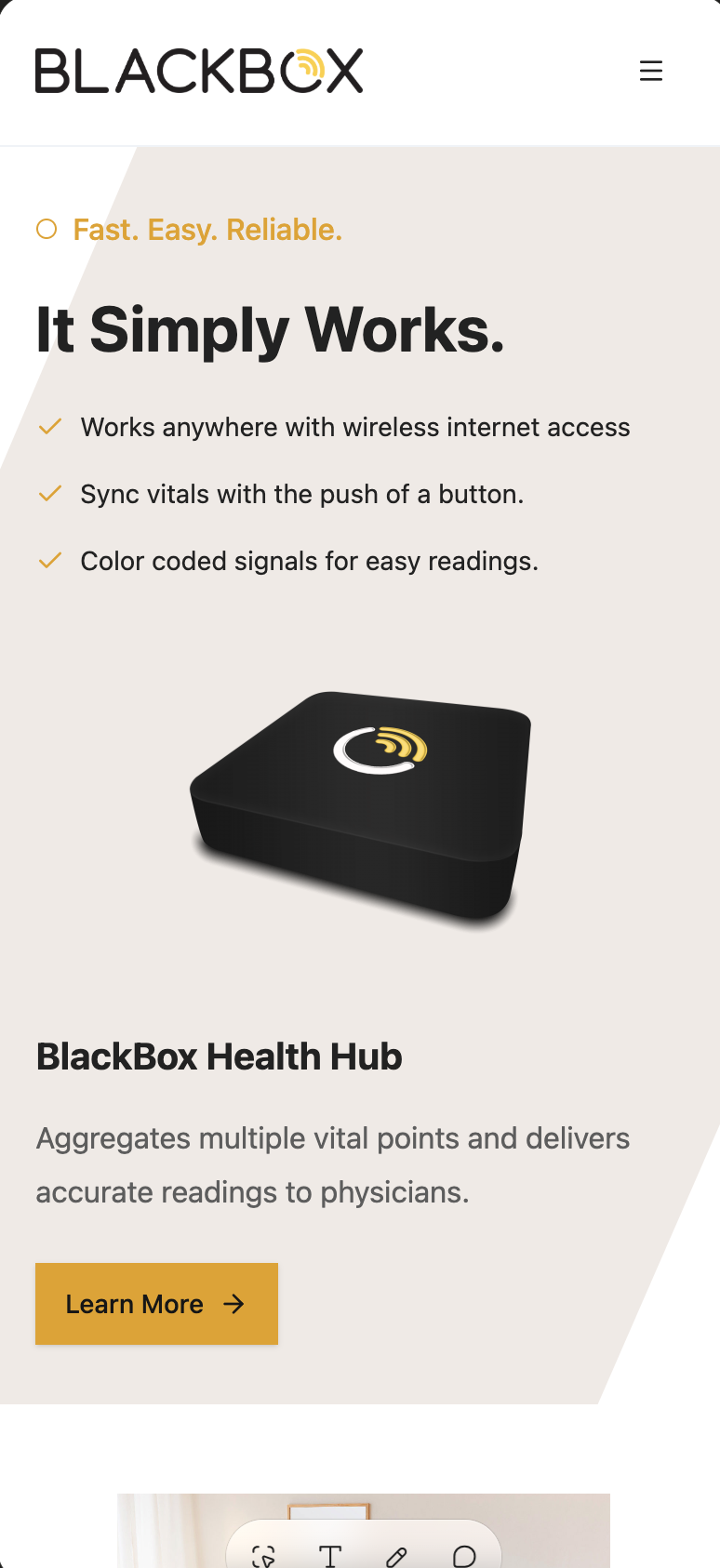
- Compact navigation. The smaller screen keeps navigation separate from the product story.
- Details within reach. Learn More follows the hub explanation in the stacked layout.
Keep the product introduction readable on a phone.
The small thing
The mobile layout stacks the hub image, short explanation, and Learn More button beneath the opening benefit bullets, with a compact menu in the header.
What it can do for a business
People often begin research away from a desk. A readable introduction and reachable contact action give them a way to continue without starting over later.
The outcome
A clearer experience, with results still to measure.
This study documents website content and interface choices found in the source project, illustrated with Krissie’s supplied screenshots. It does not verify device connectivity, clinical outcomes, compliance, or measured changes in inquiries or sales. The request form prepares an email draft rather than sending automatically.
Try this on your own site
Ideas for businesses with technical products.
Show the real product.
A clear product image can make an unfamiliar offer easier to grasp.
Separate audience questions.
A buyer and a professional partner may need different explanations.
Be clear about the handoff.
Tell visitors whether they are sending a request or preparing an email.
This study documents website content and interface choices found in the source project, illustrated with Krissie’s supplied screenshots. It does not verify device connectivity, clinical outcomes, compliance, or measured changes in inquiries or sales. The request form prepares an email draft rather than sending automatically.
What could feel easier for your customers?
Let’s make your product easier to understand.
If your customers need an explanation before they can choose, we can give them a clearer path from curiosity to conversation.
Let's talk about your project